
How to Keep a Personal Indoor Climbing Log
A useful climbing log answers a small set of questions: where did you climb, which grades did you try, what did you finish, and which styles challenged you? This guide is for individual climbers keeping their own session history—not gym attendance tracking, customer management or business reporting.
A simple session-log example
Here is an illustrative bouldering session, not a real user’s performance:
- V3, send, slab: a completed problem with a style tag.
- V4, attempt, overhang: a problem you tried but did not finish.
- V4, send, overhang: a later successful climb, recorded separately.
Keeping both successful and unsuccessful climbs makes a later review more informative than writing down only the hardest grade you sent. Use tags consistently so comparisons remain meaningful.
Start a session at your gym
Start an indoor session in ClimbingNote+ and choose or create a gym. Choose bouldering, top rope or lead for each climb. Location permission is optional; you can still enter places manually.
Record the original grade
Select the grade system used by your gym. The app supports V Scale, Font and Japanese Dankyu for bouldering, plus YDS, French, UIAA and Ewbank for roped climbs. Personal defaults and per-location preferences help you keep each gym’s notation.
If the gym uses colors or numbered circuits, create a custom bouldering scale for that gym. Optional mappings to standard grades are approximate; do not assume the same color has the same difficulty at another gym.
For a reference before logging, see the V/Font and YDS/French grade guide. Bouldering and roped grades should not be treated as interchangeable.
Add sends, attempts and optional tags
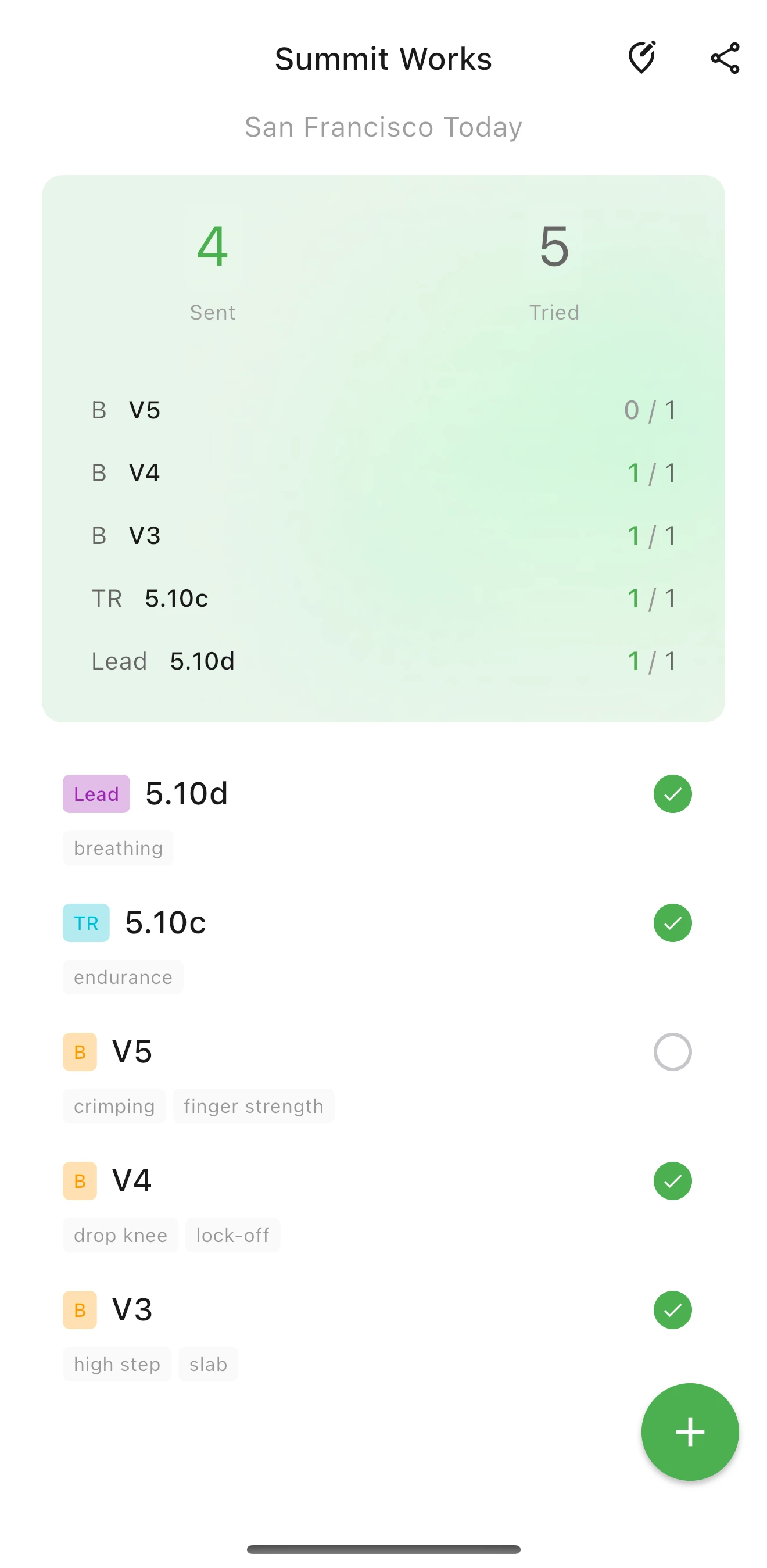
Record whether you completed the climb or made an unsuccessful attempt. Add tags for details you want to compare later, such as “slab”, “overhang” or a route identifier. The log records what you enter; it is not an automatic activity tracker.
Review your own climbing—not the gym’s operations
Open your history to revisit previous sessions. In Insight, compare your records by location, grade or tag and review sends, attempts and send rates. These figures describe your logged climbs, not visitor attendance or a gym’s commercial performance.
Compare similar sessions and grading systems. A shift in setters, wall angle or the kinds of climbs you try can change the numbers without proving that your strength improved or declined. See how to use Insight for a focused review.
Keep the habit small and your records portable
- Log while the grade and result are fresh in your memory.
- Record attempts as well as sends; avoid changing tag names unnecessarily.
- Keep the original grade and gym when comparing sessions.
- Export a JSON backup regularly, especially before changing phones or uninstalling the app.
ClimbingNote+ stores climbing records in a local database and requires no account. Logging, saved history and Insight work offline. Optional online features, such as update checks, are separate from your climbing log.
Start with your next session
Choose a gym, record your first climb and build a personal history you can return to. Available on iOS and as a direct Android APK download.